
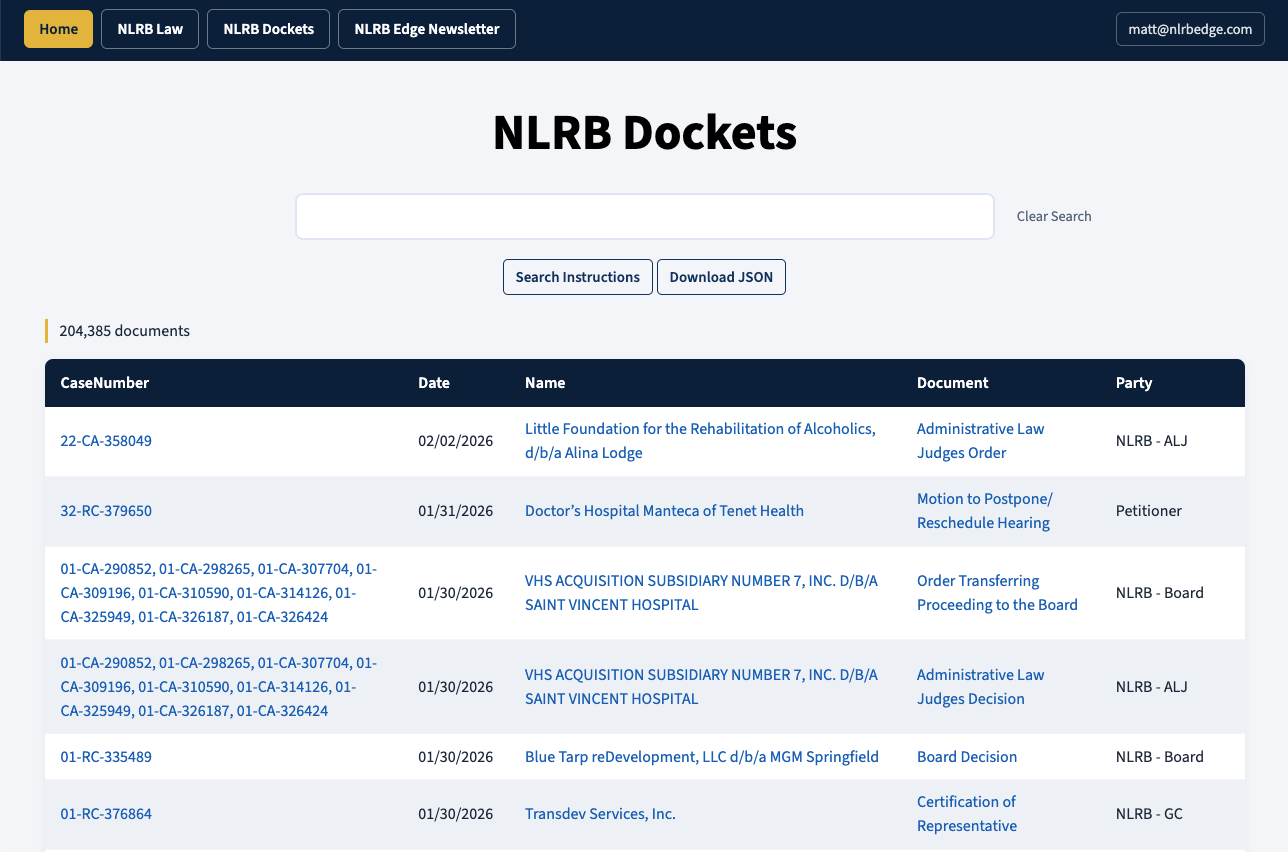
As many readers hopefully know, the NLRB Edge newsletter is an extension of my NLRB Research website. I started the website a couple of years ago with the goal of bringing together all of the NLRB decisions, appellate briefs, memos, and manuals into a unified full-text searchable database that could be used by lawyers, union staffers, and rank-and-file workers to research NLRB law. Previously this information was only available on the NLRB website in a totally unusable format or partially available on expensive legal databases like Westlaw and Lexis.
I have subsequently made improvements to the database, most notably expanding its reach to include all Circuit Court and Supreme Court decisions that contain the phrase “National Labor Relations” in them. I also made it easier to find cases that cite to other cases by searching for the citation and added an AI-generated summary of each document so that researchers could more quickly determine what a given document is about.
NLRB Dockets
In the last couple of weeks, I have made some new changes that should make NLRB Research even more useful to those looking to get practical information about the NLRB. The most significant of those changes is that, in addition to the initial database — the NLRB Law database — the website now has a second database called NLRB Dockets, which contains all of the documents that have been posted on all NLRB dockets from 2010 to present.
The NLRB Dockets database updates itself once a day by grabbing any new documents added to any NLRB docket. All of the documents in NLRB Dockets have been converted into plain text and are full-text searchable using the same query logic as NLRB Law.
In addition to searching the full text of each document, you can also search each column in the database in order to narrow the search to a specific document type or a specific party. For example, in the below screenshot, I have executed a search for all documents with the label “Post-Hearing Brief to ALJ” that were filed by the General Counsel (“GC”) that contain the word “Stericycle” in their text.
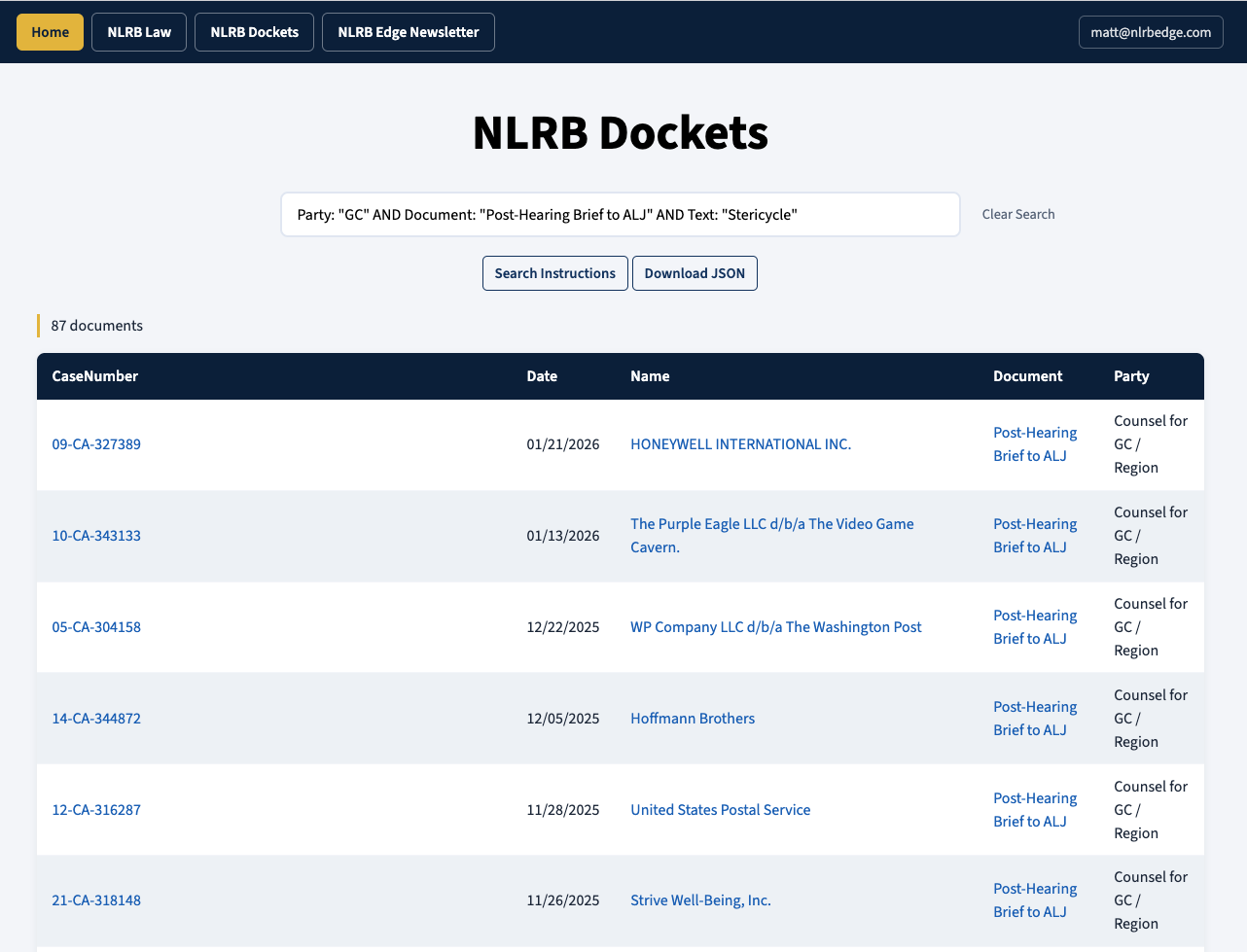
The search results contain three clickable fields. If you click the CaseNumber field, it will execute a search for that Case Number in the NLRB Dockets database, which will pull up any other documents on that docket. If you click the Name field, it will take you to that docket on NLRB.gov. If you click the Document field, it will give you the PDF of that document.
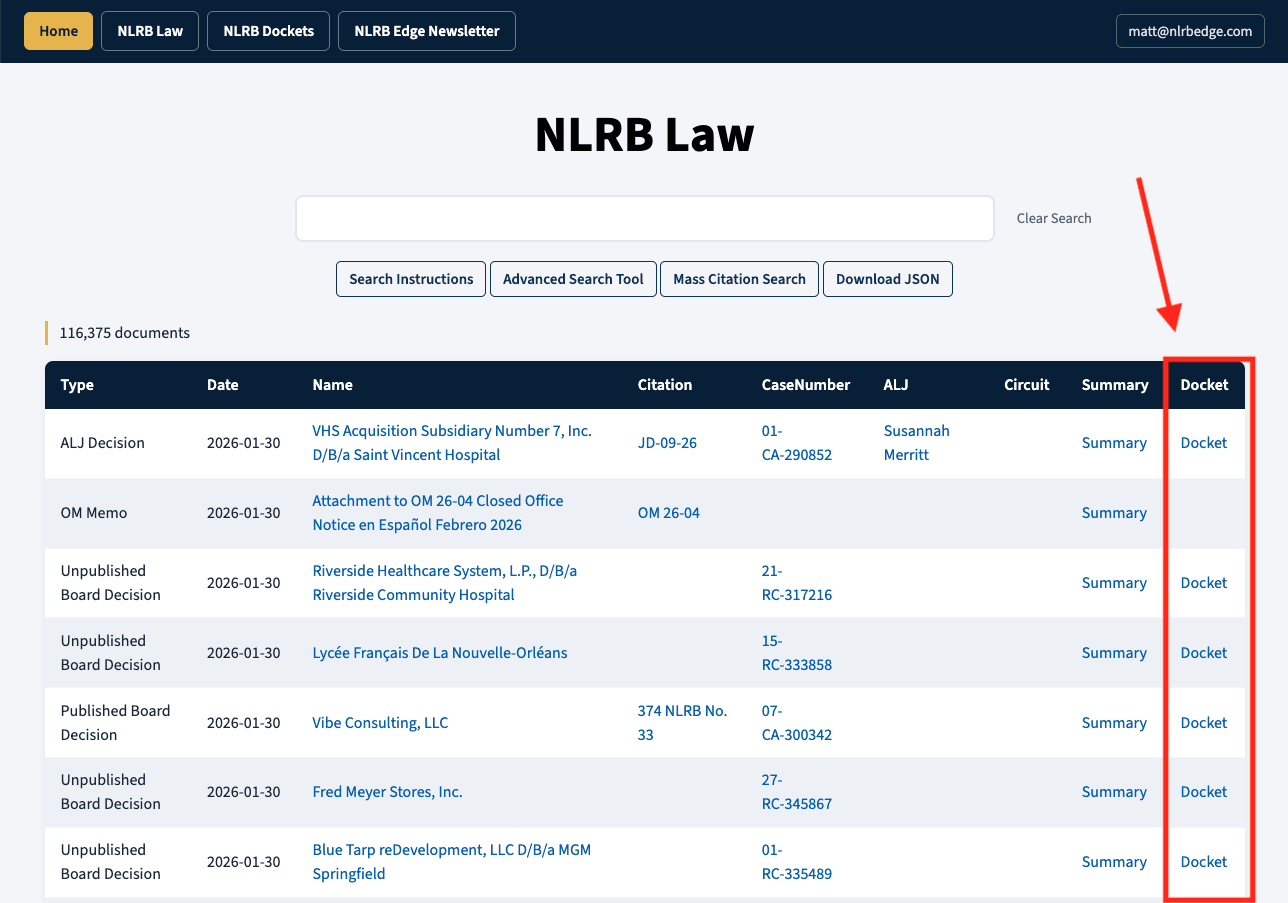
The NLRB Law database has also been updated to include a new Docket column. If you click that column it will execute a search for the Case Number in the NLRB Dockets database and thus pull up any documents on that Docket.
Most NLRB dockets contain a mix of entries with a linked PDF to a document and entries that make note of the document but then state that, to get the document, you need to file a FOIA request. The NLRB Dockets database only contains the entries with a PDF. It does not include the latter entries, but you can see those by clicking the Name of the case, which takes you to the NLRB.gov docket for that case.
In my own personal practice, I have found NLRB Dockets to be a useful way to determine what kinds of cases the NLRB General Counsel is still bringing and to find examples of document types that I might also need to file in a similar case. For instance, you can see how other people have written post-hearing briefs, exception briefs, requests for review, and similar.
Additional Improvements
Beyond adding the new NLRB Dockets database, I have also made a number of other smaller improvements to the NLRB Research site. They are as follows:
Redesigned visuals of the site to match modern web design practices as opposed to my initial Web 1.0 look.
Reconverted all of the PDF documents to text using the PyMuPDF library, which produces better output than the PyPDF library I initially used.
NLRB decisions carry words across lines using hyphenation. This made plain-text searching not match hyphenated words. I have dehyphenated everything to fix this.
Normalized every abbreviation of NLRB to “NLRB.” So, for example, every instance of “N.L.R.B.” is now converted to “NLRB.” This makes searching for a particular citation like “372 NLRB No. 58” find more matching documents.
I have made the Mass Citation Search detect both citations and case numbers. I have also changed the way Mass Citation Search detects citations in text. Before, it used regular expressions to pull out citation-like strings. Now I just embed every single citation and case number in the database into the file and so it matches directly against what is known to be in the database.
I have added a Download JSON button below the search bar that, when clicked, takes you to a Download JSON page where you can click “Analyze” and then “Download JSON” to grab a JSON file that contains your search results, including the full text of all of the files in your search results. You can then upload this JSON file to an LLM chatbot like Google Gemini and have it analyze it or answer questions about it. I may write a separate post just about this feature in the future because it is currently the best way to do AI-assisted NLRB research.
As usual with these updates, I ask that if you find this stuff useful or want to ensure that it remains free to those who do find it useful, please make sure to become a paying subscriber, either to this newsletter, or directly to NLRB Research (subscription buttons for NLRB Research are on the bottom of the front page).